Northline
- 8
- colours
- 2
- fonts
- 3
- assets
- 12
- rules
Aa
Outfit
Aa
Inter
#10131D
#3A49D9
#76C7F1
#D9F99D
Features
Slabby helps you collect, tidy, publish, and export brand systems from one slab: visual for people, structured for tools, and simple enough to keep current.
Example slabs
A slab can be a finished brand guide, a client handoff, a campaign kit, or a clean source for AI-generated work. These example slabs show how different entries can sit side by side.
Aa
Outfit
Aa
Inter
Aa
Outfit
Aa
Inter
Aa
Outfit
Aa
Inter
Aa
Outfit
Aa
Inter
Aa
Outfit
Aa
Inter
Aa
Outfit
Aa
Inter
Aa
Outfit
Aa
Inter
Aa
Outfit
Aa
Inter
Aa
Outfit
Aa
Inter
Aa
Outfit
Aa
Inter
Aa
Outfit
Aa
Inter
Aa
Outfit
Aa
Inter
Website import
Paste a website URL and Slabby pulls useful starting points into a review flow: colours, fonts, type styles, and logo candidates.
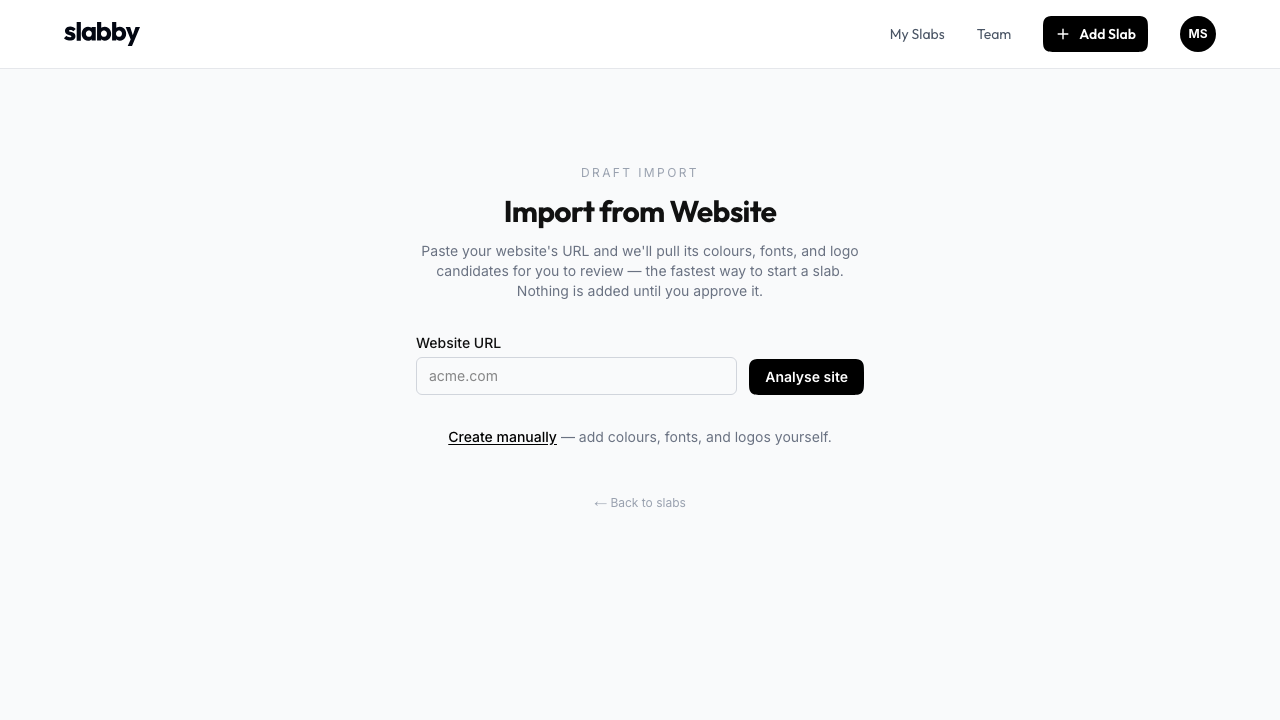
Review flow
Imports are intentionally review-first. Keep what belongs in the identity, skip old favicons and noisy colour values, then add the selected items to the slab.
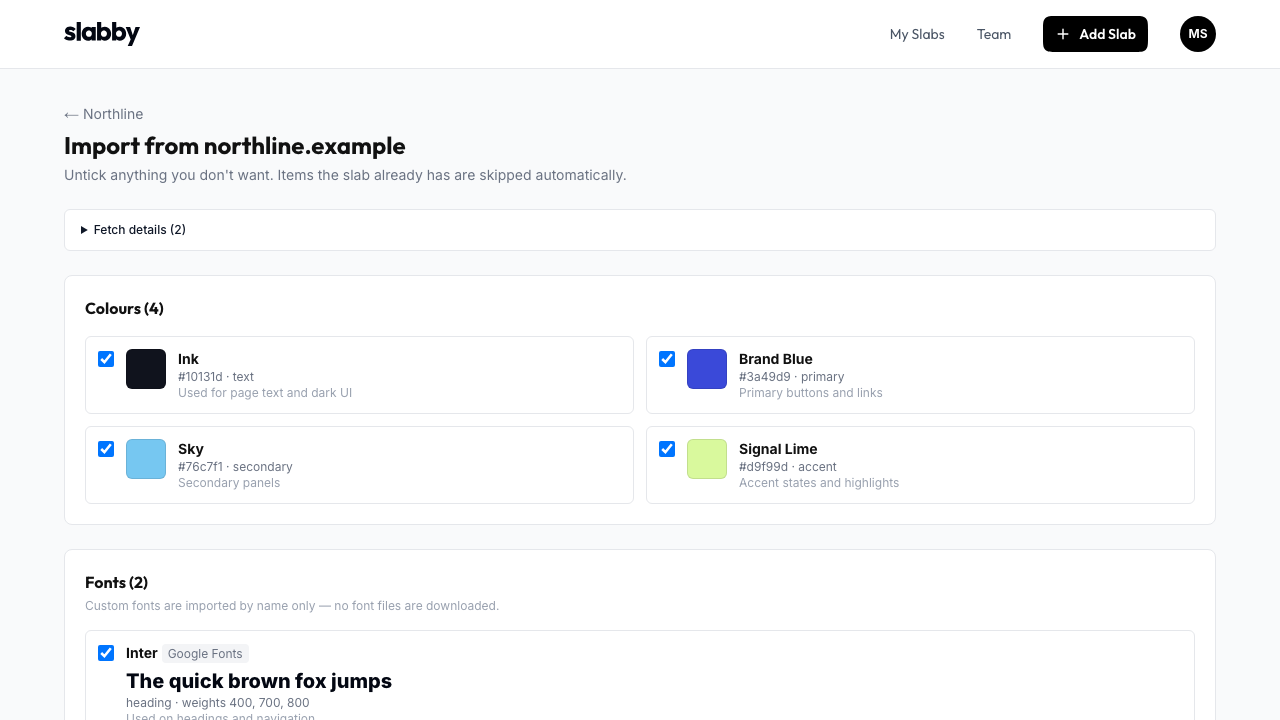
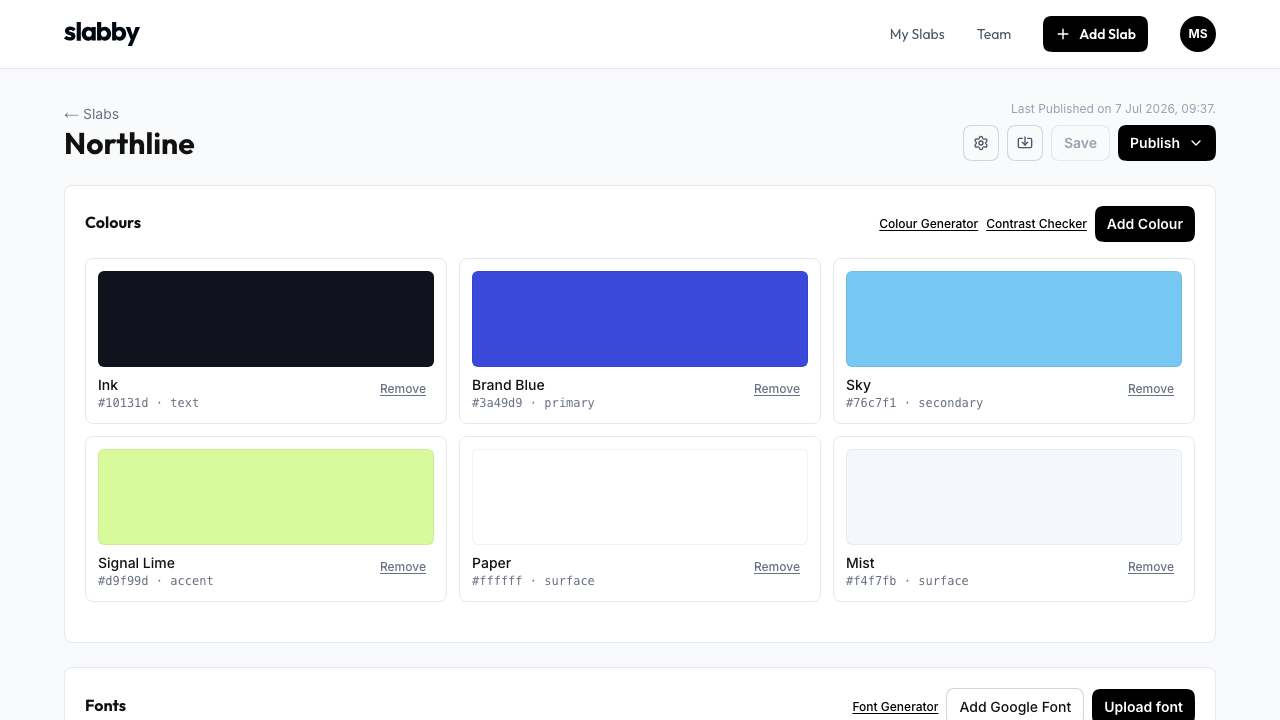
Slab editor
The editor turns raw brand material into a usable source of truth: named colour roles, documented font choices, responsive type rules, spacing, logo guidance, and approved files.
Publishing
Publish when the slab is ready, keep drafts private while you work, and share a clean URL with clients, teams, developers, and AI workflows.
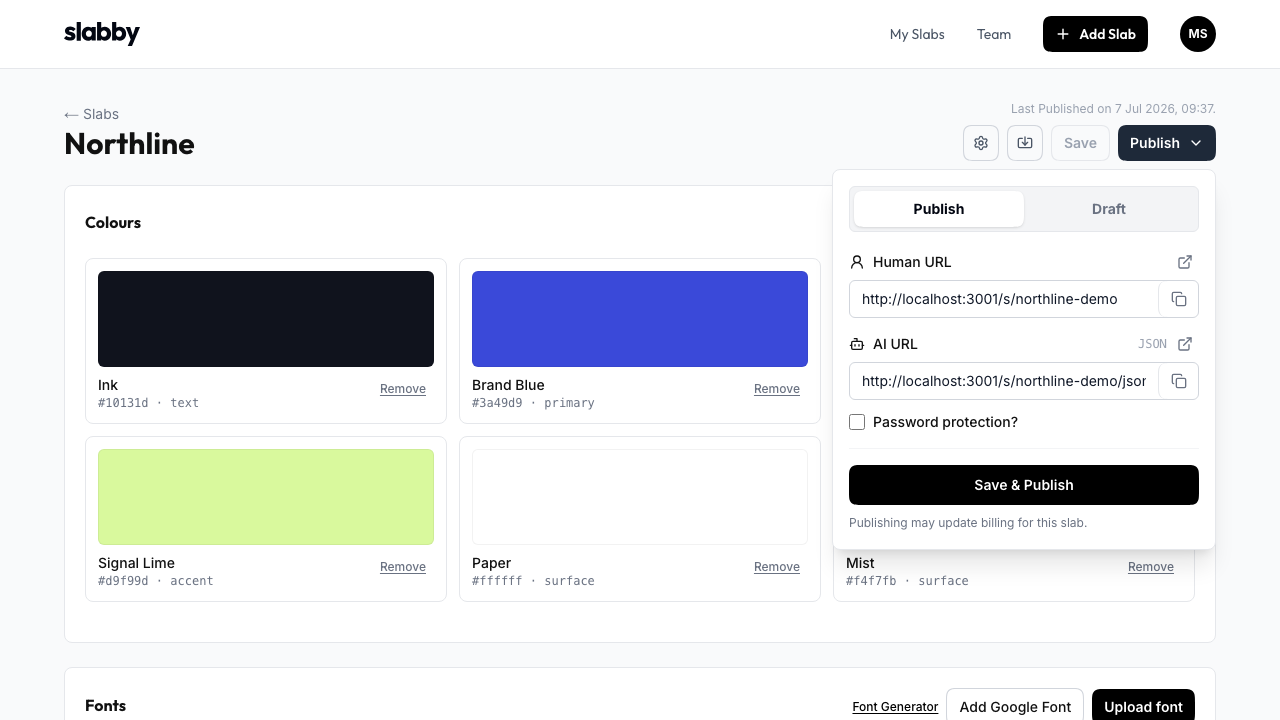
Public guide
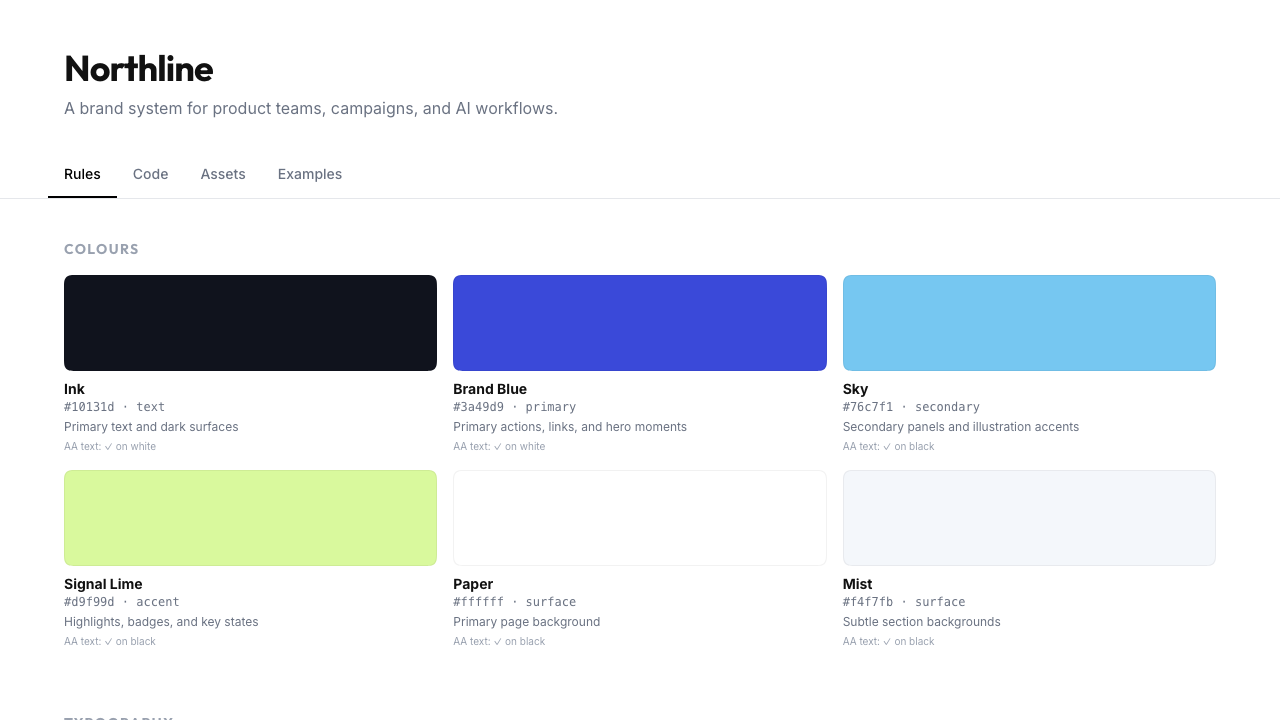
Every published slab becomes a visual style guide with readable colour swatches, type specimens, spacing tokens, logo rules, usage notes, and examples.
Structured outputs
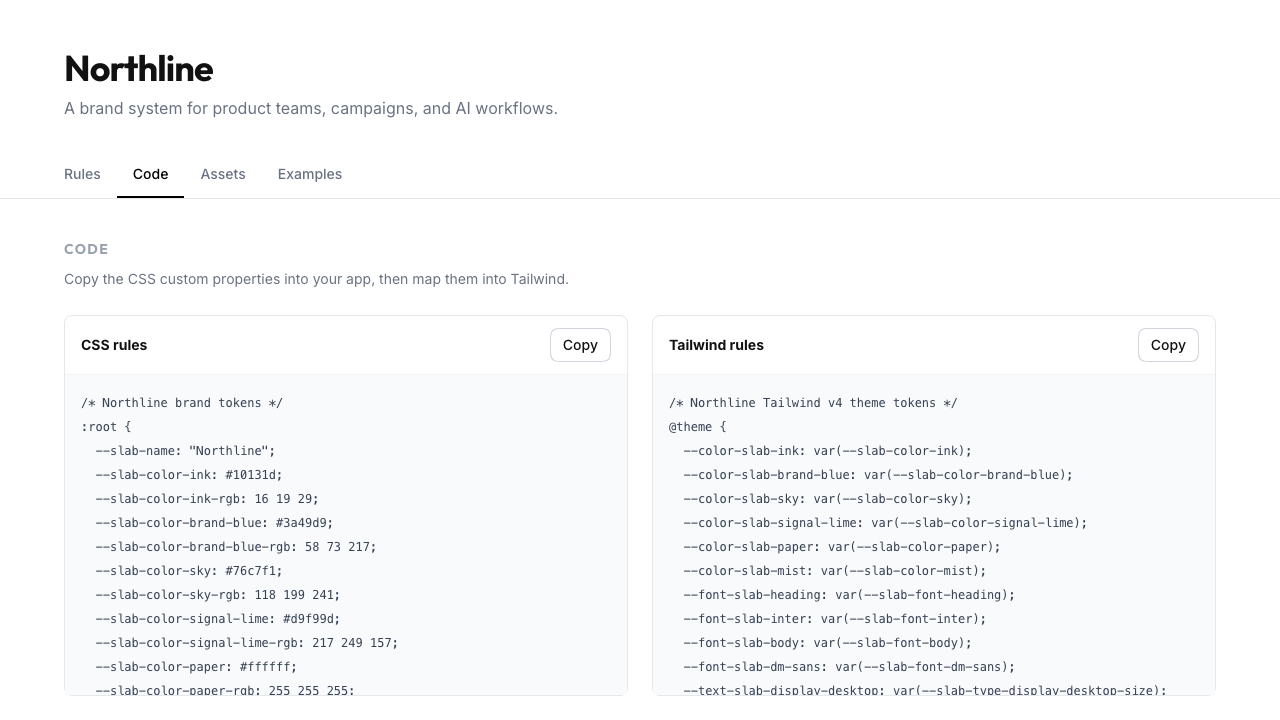
Visual guides are only one output. Slabby also exposes structured formats for production work, AI prompts, and automated pipelines.
Start from a website, tidy the identity, and publish the same brand system as a visual page, JSON, CSS, PNG, and approved assets.
Get started free ->We use optional Google Analytics cookies to understand visits and improve Slabby. You can accept or decline them, and change your choice at any time. Privacy policy